Observe on iPad
Inspect actors with touch controls and keep captures for later.
Check current downloads for platform availability. These instructions cover the Tauri app's 0.1.1 iPad controls, including supplied test builds; there is no public iPad download listed yet.
Connect to your computer
Put the iPad and computer on the same trusted network. On the computer, bind the program's profiler to its actual LAN address:
HEW_OBSERVE=hot HEW_PPROF=192.168.1.10:6060 ./my_program- Open Observe on the iPad and allow local-network access when iPadOS asks.
- Enter
http://192.168.1.10:6060in Connect to Profiler, using your computer's address. - Tap Connect, then use Overview to confirm samples are arriving.
The iPad's localhost points to the iPad. If connection fails, check the computer's firewall, the port and Local Network permission in iPadOS Settings. Keep this endpoint off public networks; it exposes runtime details without a login.
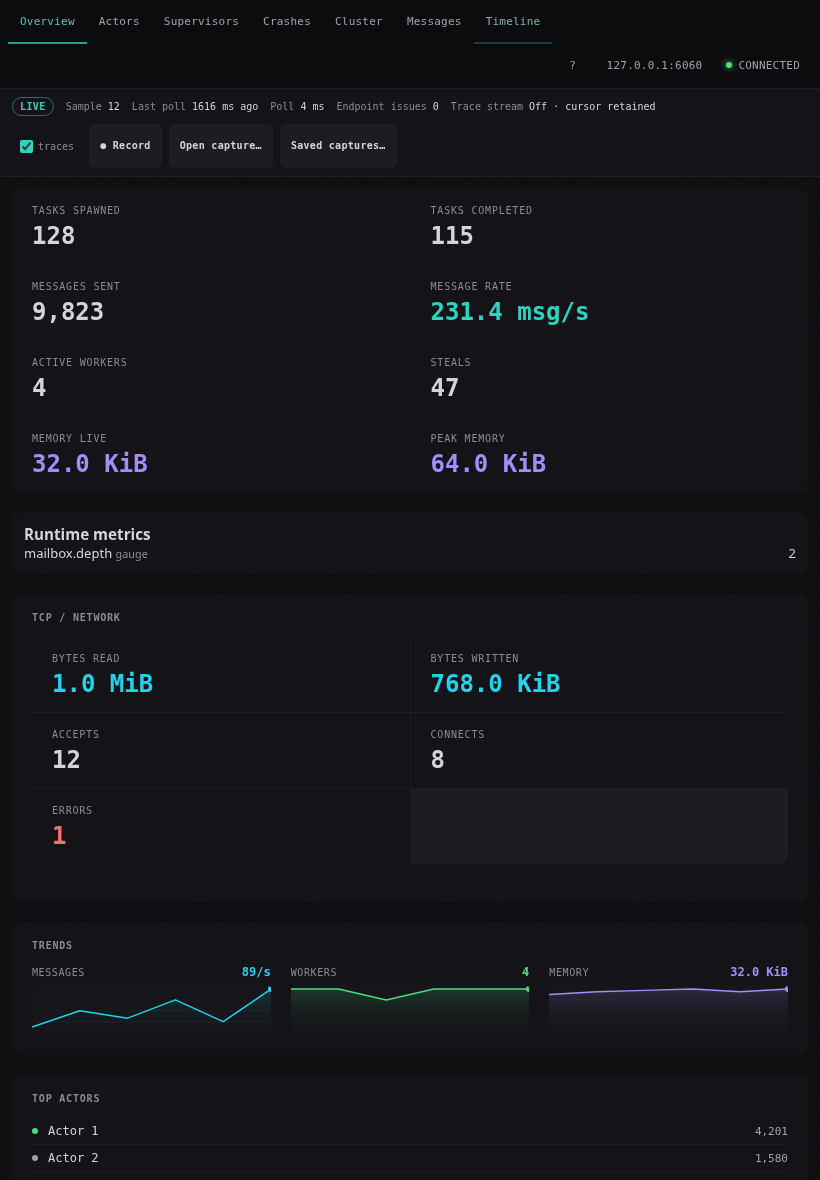
Inspect with touch
Tap a tab; scroll the tab row horizontally in Split View. Select actors and supervisor roles for details. Tap timeline events to open their inspector. Zoom, pan, follow-latest and freeze actions have on-screen buttons, so a hardware keyboard is optional. Freeze View pauses the viewport while collection continues.
Record, keep and export a session
- Leave traces selected to retain events and tap Record.
- Tap Stop recording when the interesting interval ends.
- Use Saved captures… to reopen app-owned recordings, including after relaunch.
- Choose Export last…, then select a destination in the native Files picker.
Cancelling the picker keeps your saved capture available. If a Files provider fails, retry with an available destination. Exported files can include endpoint addresses, actor names, handler names and crash messages; review them before sharing.
Reopen after the program exits
Choose Saved captures… for the retained recording, or Open capture… for an exported .hewobs file. Replay is read-only and works without the producer. Review gaps and clean-close status before drawing conclusions from missing events.
Do not depend on continuous live polling while the app is backgrounded or the device is locked. Stop/finalize first when the interval must be retained, and review gaps after returning.
See the iPad manual chapter, seven-tab guide, or download the full PDF manual.